 Verbiform
Put what you say to work.
Record by voice, choose a template, and let Verbiform place the details in a form, report, notes, or checklist. Review the result, then save, print, or share it.
For work

Keep the decisions, not just the recording.
Turn a meeting or call into minutes, a recap, and clear next steps you can check before sharing.
See meeting templates →
Document the visit while it is fresh.
Speak through what you found and did. Fill a work order, service report, or estimate without retyping your notes.
See service-report templates →
Give each finding its place.
Record observations as you go, then review how they land in the report before you send it.
See inspection templates →
Leave with a usable recap.
Capture a conversation, organize the important details, and keep the next steps together.
See call & recap templates →For study and teaching

Make your notes easier to revisit.
Record a lecture or study session and organize the main points into notes you can review later.
See lecture-note templates →
Capture the plan and the progress.
Talk through a lesson, session, or observation and place the details in the template that fits.
See teaching templates →For everyday life

Get it out of your head.
Speak through errands or a plan and turn the details into a checklist you can use.
See list & plan templates →
Keep the details you will need again.
Use a template to organize notes about a project, purchase, or appointment while they are still fresh.
See home & records templates →
Talk it through, then shape it.
Turn a spoken first pass into an outline you can refine in your own words.
See outline templates →One app. Your profile.
Verbiform is one app that adapts to how you work. Pick a workspace profile the first time you open it — it sets the terminology, the templates it suggests, and the tools you see. You can switch any time in Settings, and it never changes your records or your plan.
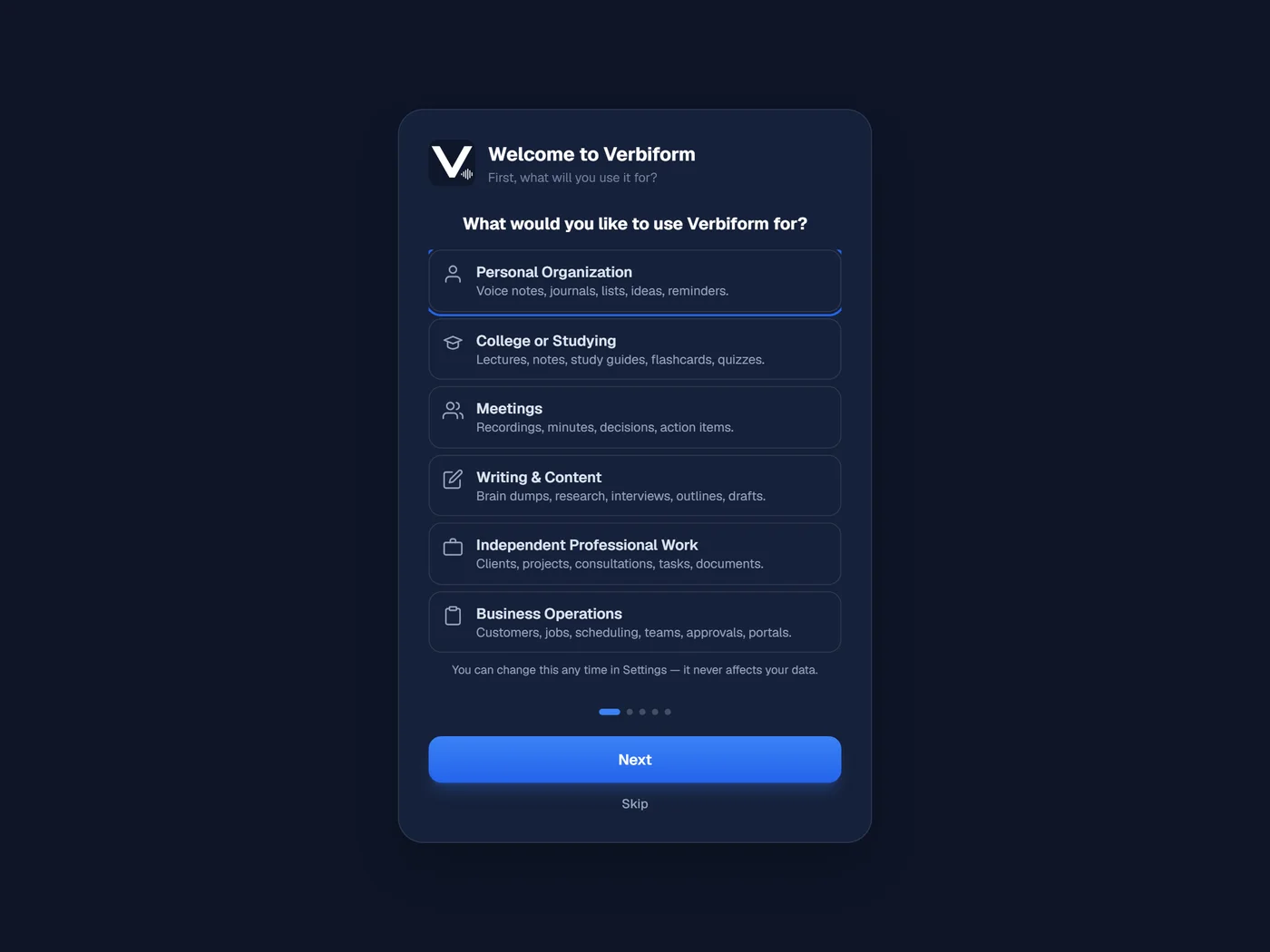
Everyday life, kept in order.
Voice notes, journals, lists, ideas, reminders.
Turn lessons into study material.
Lectures, notes, study guides, flashcards, quizzes.
Leave every meeting with a record.
Recordings, minutes, decisions, action items.
Talk the first draft out loud.
Brain dumps, research, interviews, outlines, drafts.
Keep client work together.
Clients, projects, consultations, tasks, documents.
Run the day-to-day of a business.
Customers, jobs, scheduling, teams, approvals, portals.
A workspace is not a plan. Every workspace is free, and so is syncing your records with a free account. Pro turns outputs into scheduled, tracked work; Team shares a workspace with your crew.