 Verbiform
Set your workspace profile
Verbiform is one app that adapts to how you work. Pick a workspace profile and the terminology, the templates it suggests, and the tools you see all shift to match — without touching your records or your plan.
Pick a profile when you start
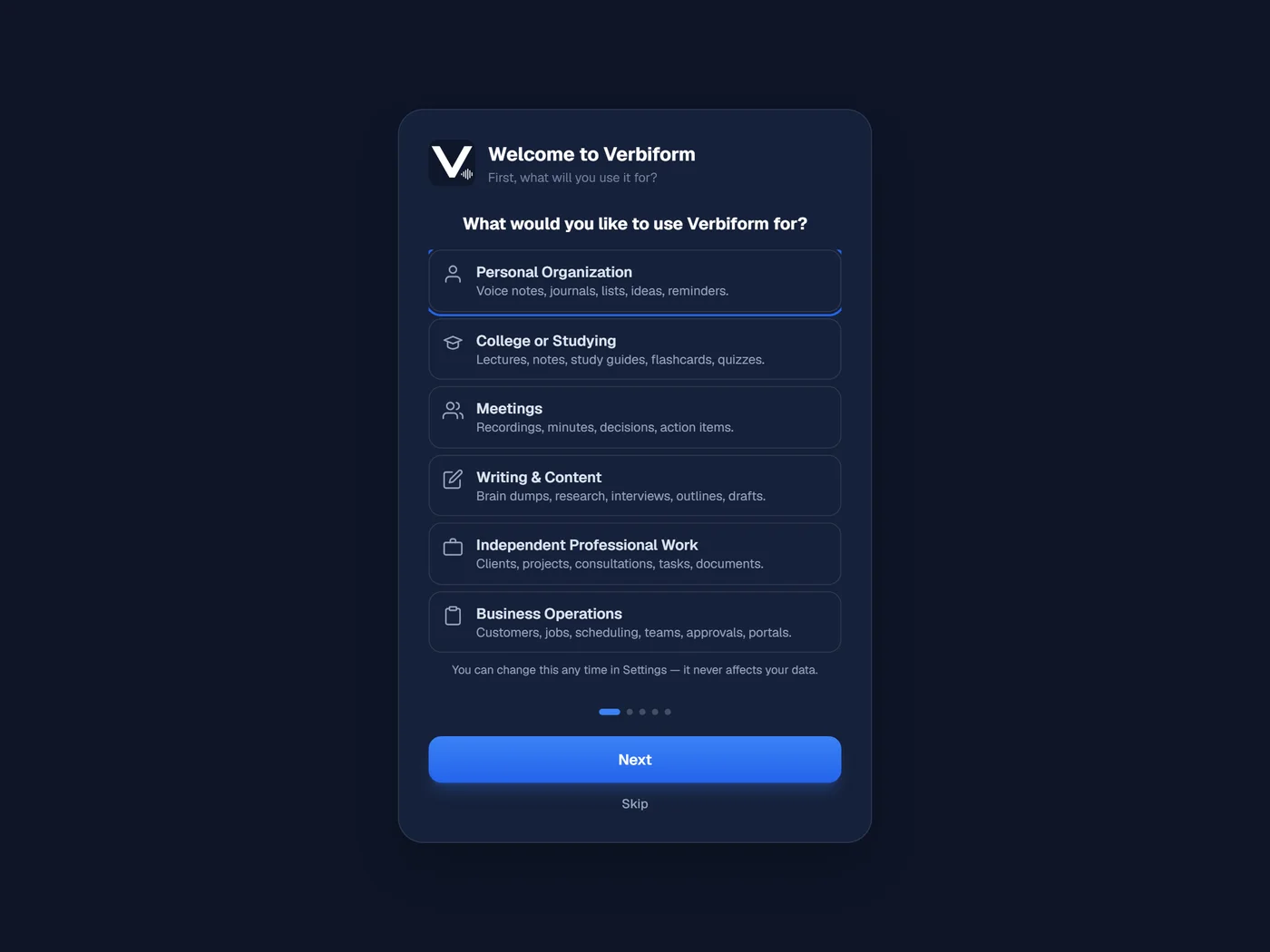
The first time you open Verbiform, it asks what you will use it for. Choose the profile that fits — it tailors the whole app to that kind of work, so the names, templates, and tools feel like they were made for it.
Choose the one that fits how you work
There are six to pick from. Each one changes the language and the starting templates — a lecture, a service call, and a client project each get a workspace built around them.
Switch any time in Settings
Your profile is not a one-time decision. Change it whenever your work does — it never moves, hides, or deletes a record, and it has nothing to do with your plan. Everything you have captured stays exactly where it is.