 Verbiform
Teach it your words
Speech models get ordinary words right and names wrong. If a customer, a product code, or a bit of trade jargon keeps coming out garbled, teach it — once — and it stops.
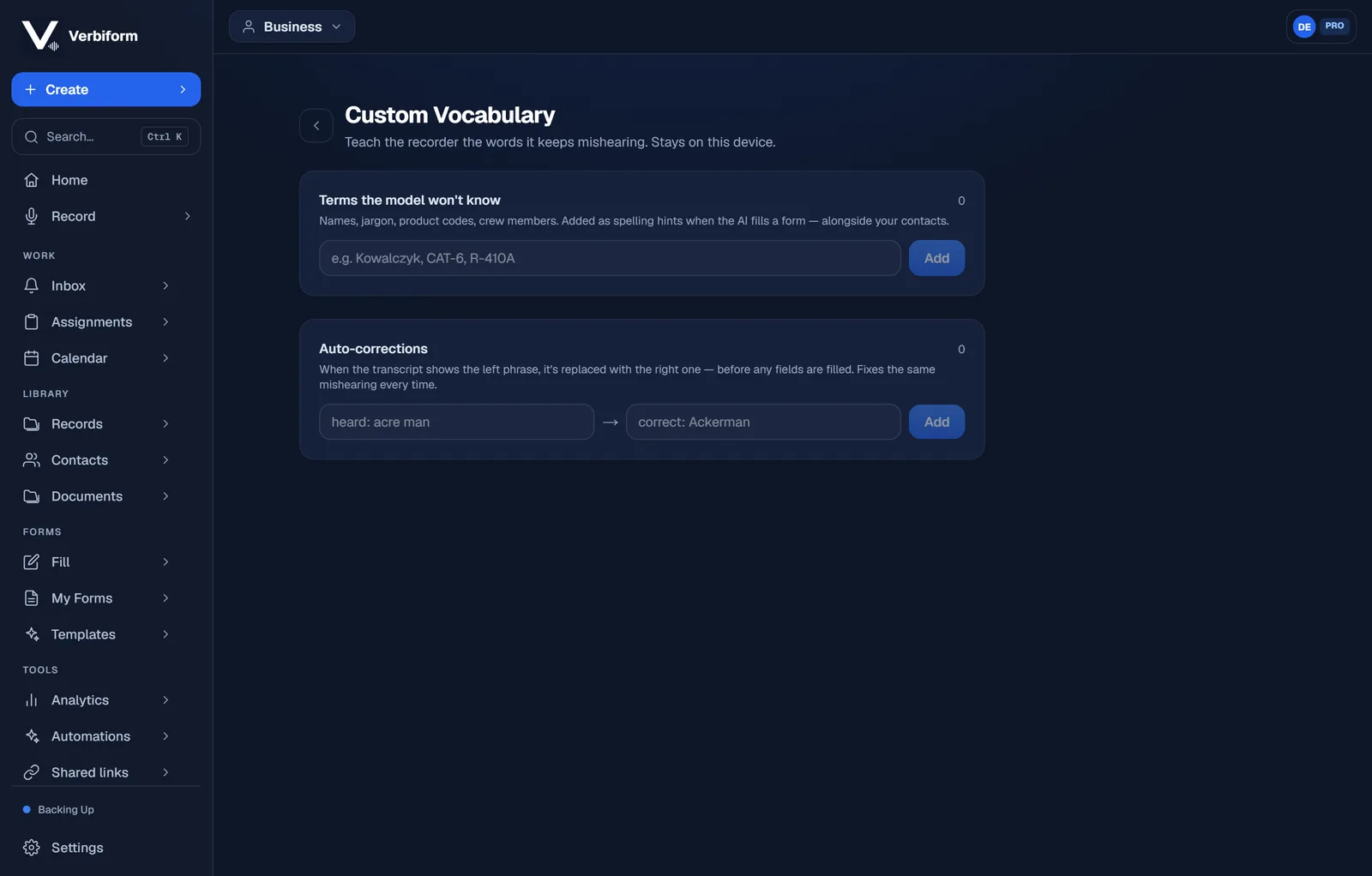
Add the terms it won’t know
Under Custom Vocabulary, add the names, jargon, product codes, and crew members the model has no way to guess. They’re used as spelling hints when the AI fills a form — right alongside your contacts.
Fix a repeat mishearing with an auto-correction
Hearing the same slip every time — “acre man” for “Ackerman”? Add the heard phrase and the right one, and Verbiform swaps it in the transcript before any field is filled.
It applies from then on
You don’t re-teach it per recording. Once a term or correction is in, it primes every capture going forward — measurably lifting how often your proper nouns survive to the finished record.