 Verbiform
Review what was filled
Verbiform drafts and fills — you decide what’s true. Review is the short step where you read what it captured and correct the draft before you rely on it.
Read the transcript, fix any mis-heard words
The full transcript sits at the top of the review. Read it against what you said and correct anything the recogniser got wrong — the fields are drafted from this text, so fixing it here fixes them too. Your recording is already kept; the finished record isn’t created until you save.
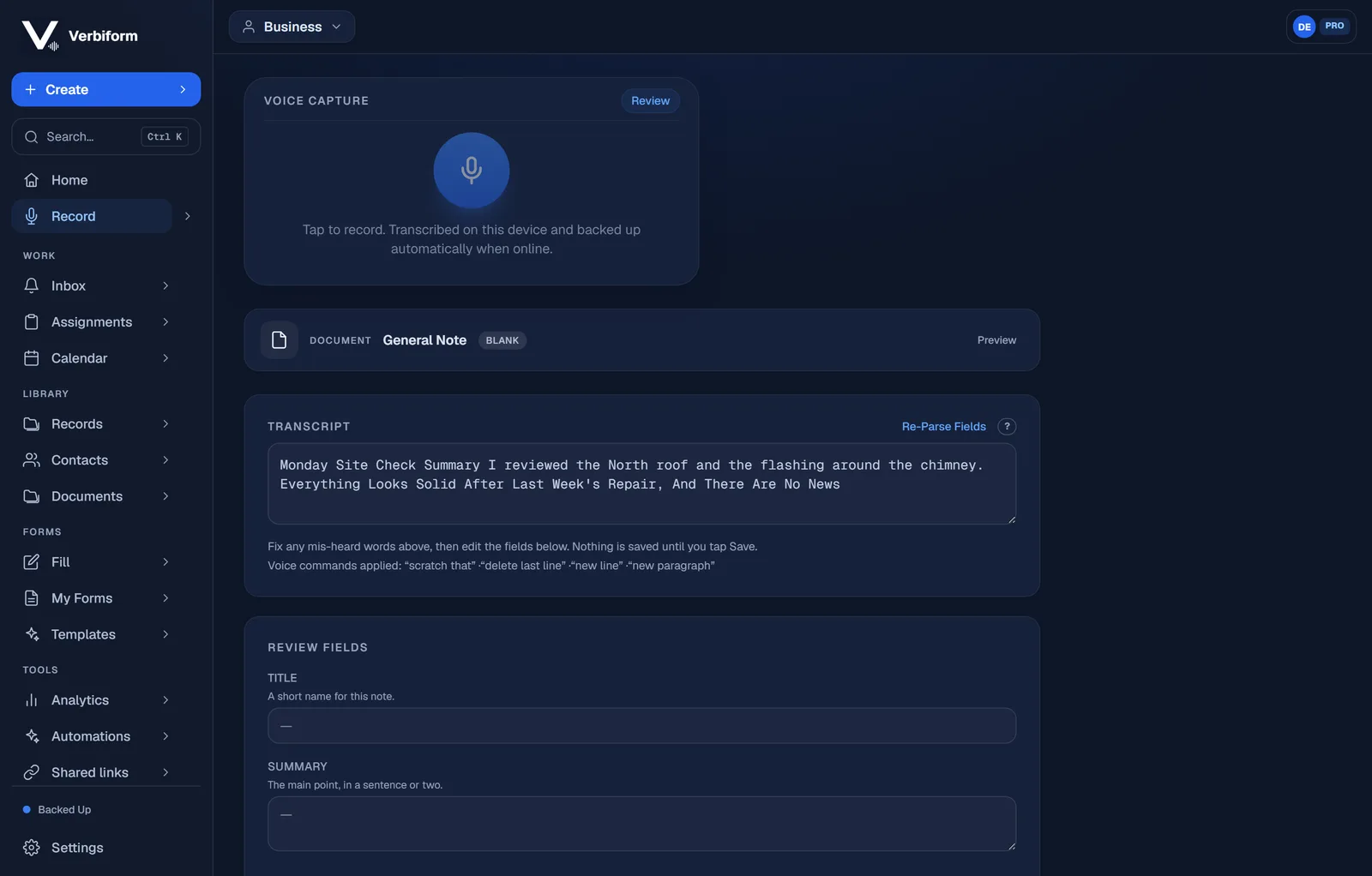
Check the drafted fields
Each field shows the value Verbiform drafted from the transcript, right next to its label, so you can scan the whole form and see that it matches what you meant.
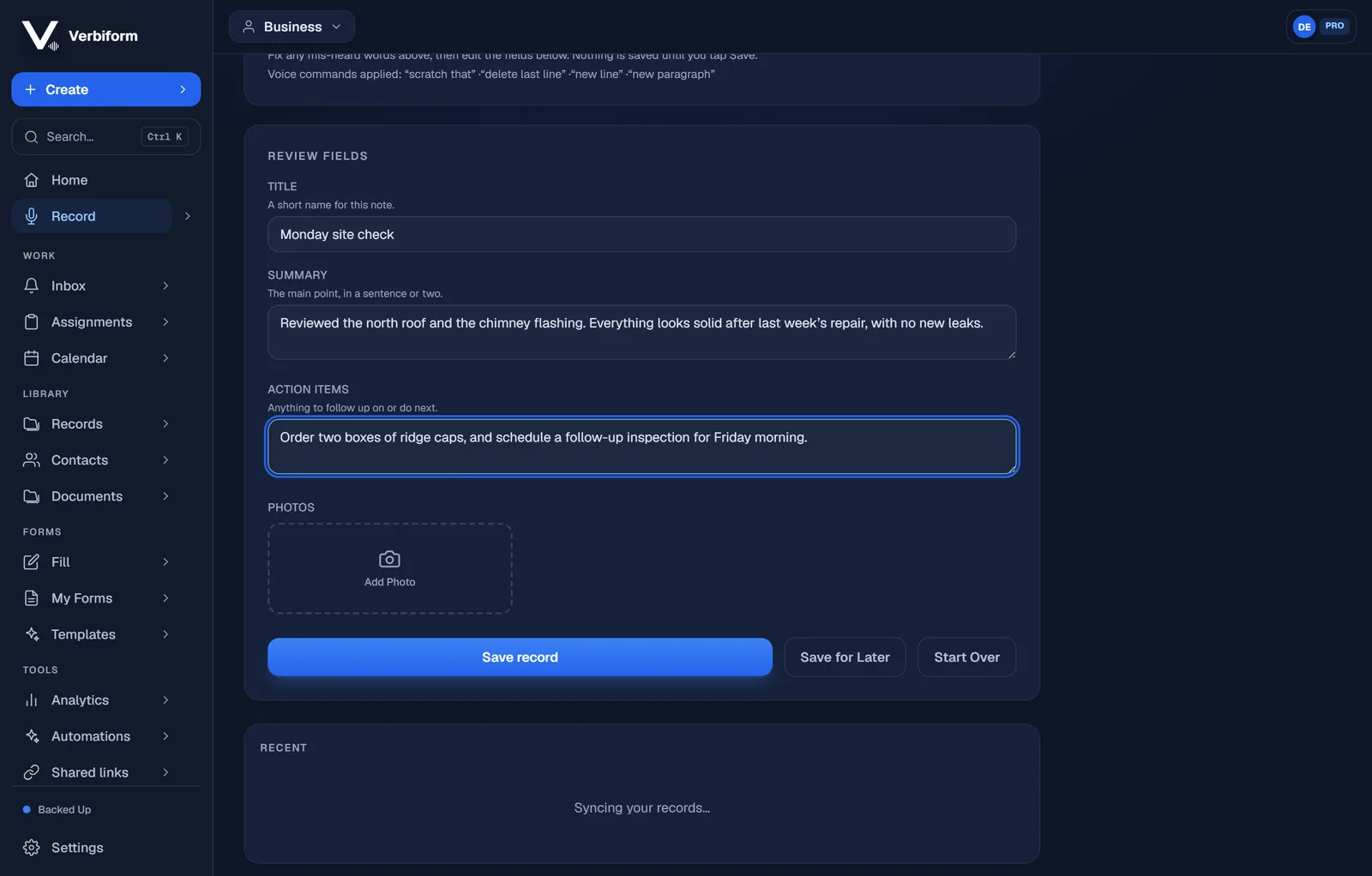
Fix anything with a tap
Tap a field to correct it. Your edit sticks and is recorded as yours — the value now reflects your decision, not a guess.
Confirm to save
Only when you tap Save does Verbiform create the record. The recording is kept alongside it, so any value can be traced back to the moment it was said.