 Verbiform
← All guides
Guide · Go further
Capture in your language
Verbiform isn’t English-only. Set your spoken language and talk naturally — the transcript, and the fields it fills, come back in the language you spoke.
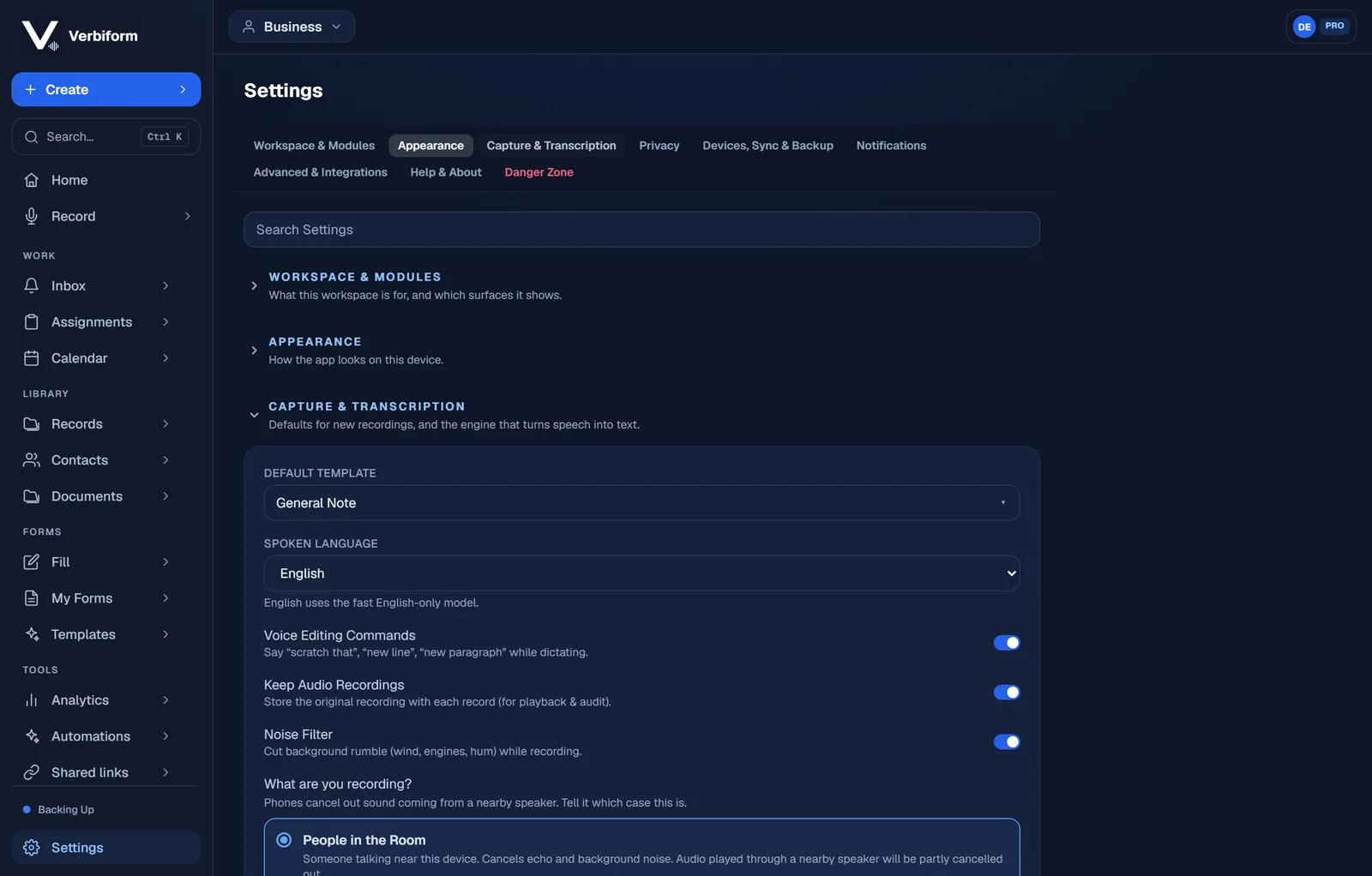
Choose your spoken language
In Settings → Capture & Transcription, set Spoken Language. English uses a fast English-only model; every other language uses the multilingual model, so the recogniser knows what it’s listening for.
Talk naturally
Record the way you always would. The transcript comes back in that language, and the fields fill from it — no switching modes mid-sentence.
Translate to English when you need to
Working across languages? Turn on translate-to-English and Verbiform brings the transcript over into English while keeping the original recording intact.
Fifteen languages and counting. The English-only model is the fastest; the multilingual
model covers the rest, on the same simple record button.